
How to understand RoomPriceGenie's price suggestions?
RoomPriceGenie is designed to be as transparent as possible. For this reason, we provide you with a detailed description of how we have calculated prices on any given day. Click on any date cell in the pricing calendar and a window will pop up with a breakdown of our price suggestion.
Base Price
The base price is the starting point for our price calculation. You can think of it as the average price for your reference room for the whole year. Read more about it here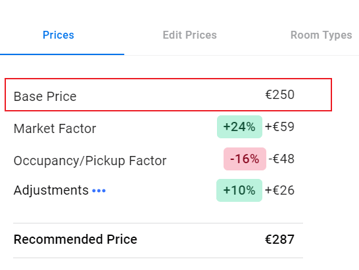
Price Breakdown - Base Price serves as the starting point of all calculations
Market Factor
The market factor reflects market intelligence, which you can read more about here. The events list in the bottom right corner gives you an indication of why the market behaves the way it does.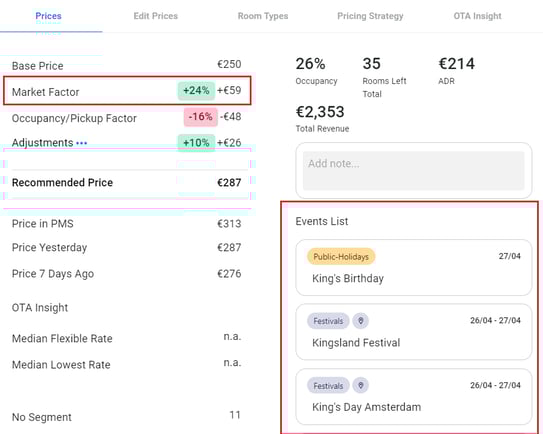
The market factor influences the base price according to certain events taking place in the area
Example: Some big, shiny star announces a concert in your city. Hotels with revenue managers will pick up on this immediately to prepare for the higher demand. RoomPriceGenie detects this change in the market price level and reacts to it. This will then be reflected in the market factor.
Occupancy Factor
The occupancy factor reflects the classical yielding or price optimization. It is calculated based on how many rooms you have left and how much time you have to sell them. In the upper right section of the price pop-up, you'll see a list of how many rooms you have left of the corresponding room type, the total rooms (of all types) left and your total occupancy.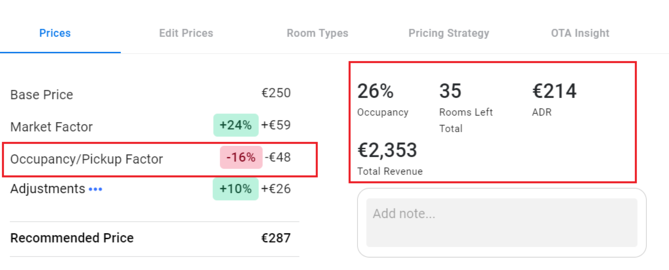
The occupancy factor influences the base price according to your performance
Example: If you are selling rooms really quickly for a date in 6 months, the system will quickly increase prices to make use of the opportunity. On the other hand, if rooms stay empty, the prices go down to attract more bookings.
Adjustments
If you click on 'Adjustments', another pop-up window will open with a detailed breakdown of your individual, weekly and monthly, and lead time adjustments. Your minimum and maximum prices as well as existing yielding tags are also displayed there. All these constraints are included in the shown adjustment factor.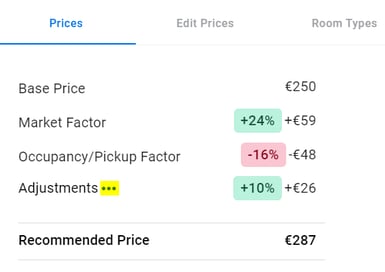
Click on the three dots next to Adjustments
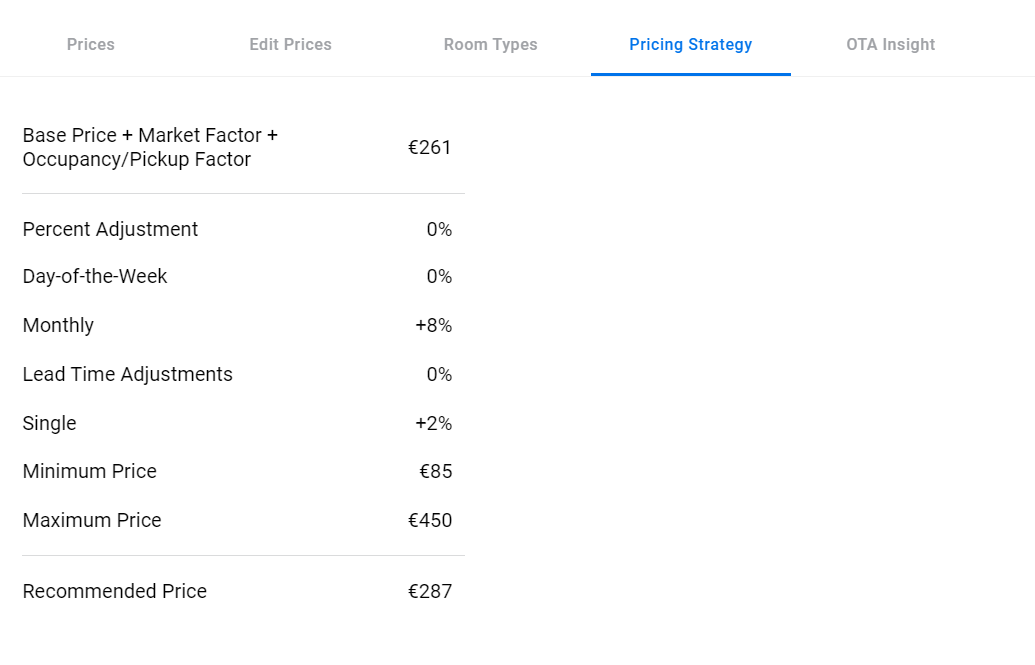
Another pop-up window will open