Available in
☑️ All plans
Reference Room
When we set up your RoomPriceGenie account, by default, we configure and assign all the room types that we can see in your PMS or Channel Manager (to which we are connected). Then, we choose your reference room type. During the initial setup of your RoomPriceGenie account, this will have been discussed with you.
The reference room type will be the first room type you will see when you log into your RoomPriceGenie account, and this room will be the basis for our revenue optimization.
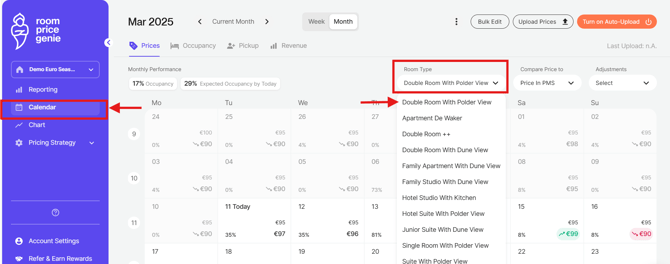
By default, you will always see the Reference room in the Calendar view.
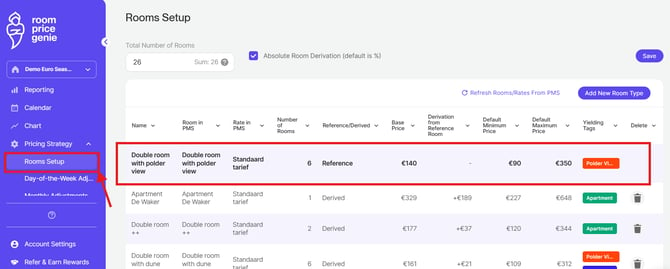
The first line of the list of all room types shows the Reference Room.
Question: Which room should I choose as my reference room?
- The most common option is the most popular room type you have.
- Another option would be the cheapest room type, so all others are priced higher than this.
- Choose the one you are most comfortable with when you look at the price.
Want a different reference room? Just email support@roompricegenie.com and our Customer Care team will help you switch.
(We are currently in the process of updating our knowledge base. Thank you for your understanding in case you still see an outdated display. However, the steps to follow will remain the same).